Matching Question Format: 15+ Powerful Examples, Proven Rules & Easy Scoring Tips
The matching question format asks learners to pair each premise in one column with the correct response in another, making it a quick way to test whether they can connect terms, definitions, and examples. If you have ever watched a carefully written quiz collapse into guesswork, you know how frustrating that feels.
This guide shows, with clear examples, how the format works, when it fits, and how to write distractors, directions, scoring, and feedback that treat learners fairly. It draws on instructional design guidance and current assessment-platform documentation, so you can build matching items that measure understanding rather than luck, whether you teach, train, or design assessments.
The Matching Question Format
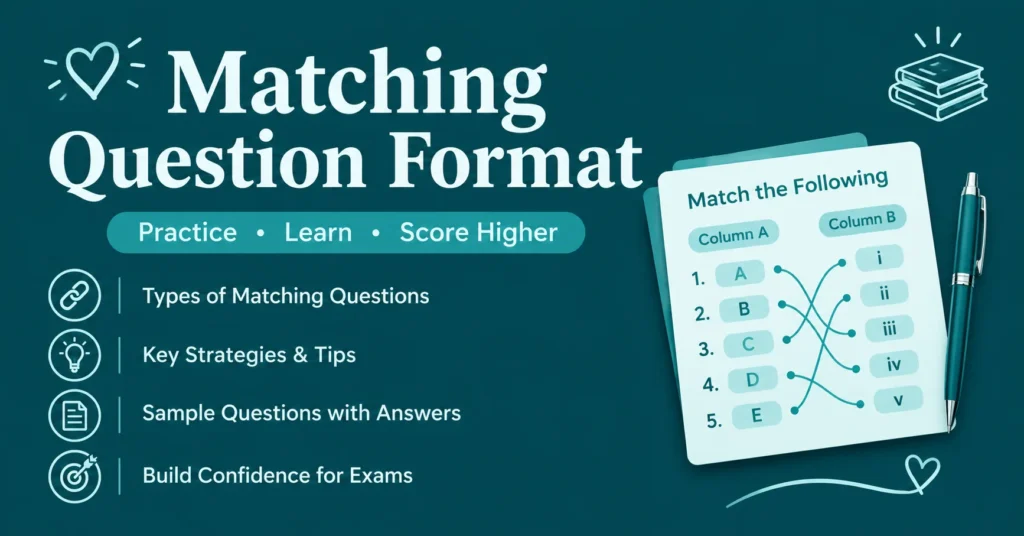
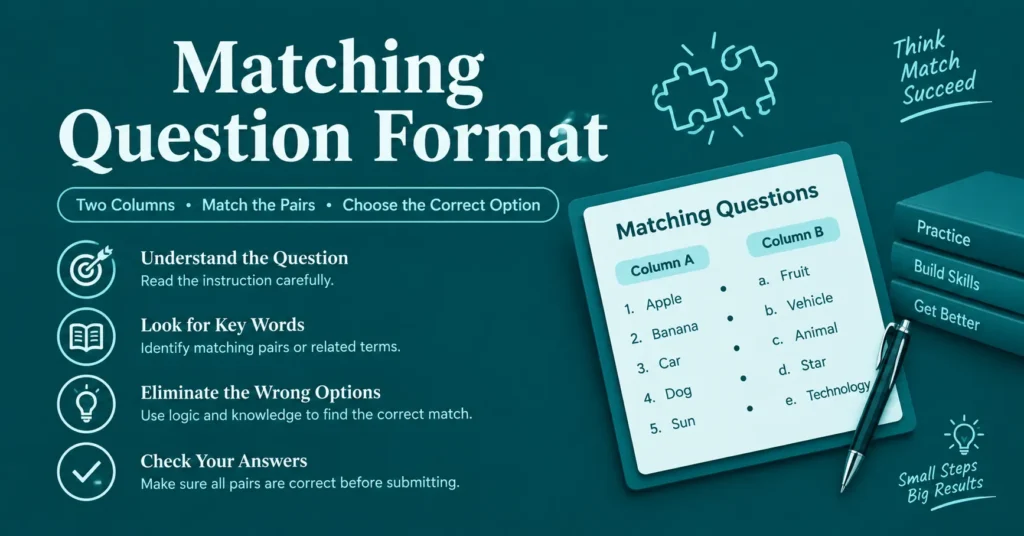
The matching question format gives learners two lists and asks them to connect each item on one side with its partner on the other. The first list holds the premises, usually numbered, while the second holds the responses, usually lettered. This pairing convention keeps test directions simple.
Most online authoring tools replace the written letters with drag-and-drop or drop-down menus, so the screen version may differ from the paper version. The skill being measured stays the same: recognizing relationships between related terms, definitions, objects, and labels without writing a full answer.
When to Use the Matching Question Format
This format works best when your content contains many parallel concepts, such as terms and definitions, causes and effects, or symbols and names. It adds a change of pace to self-checks and reviews, and it lets you cover more material in one question than a multiple-choice item can.
Teachers use it for vocabulary, historical dates, and science concepts. Trainers use it to check policy knowledge, and language programs use it to pair words with translations or synonyms. If your content has no natural pairs, a different question type will serve learners better.
Matching Question Format Types and Examples
Matching items come in more shapes than plain text. Authoring platforms support words, images, audio clips, video, formulas, and even labeled parts of a diagram, which lets one format serve biology, music, language learning, and finance. Choose the media that matches what learners must actually recognize.
Picture a middle school science teacher pairing six lab tools with their uses, then adding two extra tools that match nothing. Students cannot lean on elimination, so the quiz shows who truly knows the equipment. That small tweak turns a simple recall check into a fairer measure.
Word matching questions
Word matching pairs a term with its synonym, translation, or definition, which suits vocabulary drills and language classes. Keep each side grammatically consistent so the wording never leaks the answer. A learner matching Spanish nouns to English meanings, for example, should see only nouns on both lists.
Image matching questions
Image matching attaches a picture to each item, and learners choose the correct label from the options. It works well for anatomy, geography, art, and equipment identification, where seeing the object matters more than reading about it. Use clear, high-contrast visuals and write alt text for accessibility.
Audio track matching questions
Audio matching plays a clip for each item, then asks learners to pick the matching option. Language listening practice, music theory, and speech recognition tasks fit naturally here. Decide in advance how many times a clip may be replayed, because that setting changes how difficult the question feels.
Mathematical expression matching
Here, each item is an equation, formula, or statement, and learners match it to an application, name, or result. Physics, chemistry, and finance courses use this often. Some platforms, such as TestInvite, accept LaTeX input or a built-in math editor, so notation displays cleanly instead of turning into plain text.
| Variation | What the item contains | Best fit |
| Word matching | Terms, synonyms, translations | Vocabulary, language classes |
| Image matching | Pictures paired with labels | Anatomy, geography, equipment |
| Audio matching | Clips paired with options | Listening skills, music theory |
| Formula matching | Equations paired with uses | Physics, chemistry, finance |
| Fill-in-the-blank matching | Numbered blanks paired with options | Passage-based reading checks |
Matching Question Format Construction Guidelines
Clear directions come first. Tell learners how to make each match and what basis connects the two columns, and state whether a response may be used more than once. Two-part directions remove confusion before it starts and protect your results from careless mistakes.
Next, keep each list parallel and short. Use one content type per question, make every response plausible, and give each premise exactly one correct match. Sources suggest keeping lists to roughly five to ten items, and one instructional design author mentions six as a limit.
| Guideline | Why it matters |
| Two-part directions | Explain how to match and on what basis |
| Parallel content | Keeps every item in one category |
| Plausible responses | Removes give-away answers |
| No grammar or word clues | Stops hints hidden in wording |
| Extra responses | Makes elimination unreliable |
| Short lists | Eases working memory |
| One correct answer | Keeps scoring fair |
Determining Options in the Matching Question Format
Before building the question, decide how learners will draw from the answer choices. TestInvite describes three approaches: one shared pool of options for every item, item-specific option lists, or a combination of both. Your choice shapes how much guessing the format allows.
Extra responses that match nothing also help. Both iSpring and The eLearning Coach recommend including more responses than premises, because leftover options in a perfectly balanced list act as hints. One or two spare choices make elimination far less reliable.
Adding item-specific options
With item-specific options, each premise gets its own private list of choices, and those choices never appear under other items. This reduces cross-item guessing and suits questions where each premise needs different distractors, such as scenarios paired with possible actions.
Matching options in a common option pool with multiple items
A common option pool lets every item draw from the same list. Some platforms also let you cap how many times a single option can be used, so one answer cannot quietly absorb several premises. This setup mirrors the classic two-column worksheet most students already know.
Limiting the Number of Matches in the Matching Question Format
Some assessments do not require every item to be matched. A matching question can set a minimum and maximum number of matches, such as requiring at least two but no more than four from five options. Learners see a warning that tells them how many selections are allowed.
This control suits assessments where partial knowledge matters, and it adds flexibility beyond a strict one-to-one pairing. If you use limits, repeat them clearly in your directions. Learners should never discover a rule only after the platform rejects their submission.
Adding Feedback Content to the Matching Question Format
Feedback turns a quiz from a scoreboard into a teaching moment. After a learner answers, the platform can show which matches were correct, explain the right pairing, or clarify why a distractor was wrong. Many authoring tools also let you show this feedback only after the test ends.
Short, specific explanations usually work best. Instead of repeating the answer key, tell learners what separates two similar terms. A tip placed before the question can also prevent misunderstandings, which helps struggling test-takers without revealing any individual match. Ask a colleague to test it first.
Automatic Evaluation of the Matching Question Format
Matching items are objective, so software can score them instantly. Blackboard grades them automatically and allows partial credit, spreading points across the pairs. In a five-pair question worth ten points, each correct match earns two points, which is easier to defend than all-or-nothing scoring.
The eLearning Coach notes that scoring rules vary by tool, so decide on partial credit before you publish. Some platforms let you subtract points for wrong or blank matches, while others set a minimum threshold. Whatever you choose, tell learners how the question will be graded.
Success measurement
Success measurement scores each match as correct, incorrect, or partially correct, based on rules you define in advance. You can also set penalties for blank items. This approach suits knowledge checks, certification practice, and classroom unit tests where learners should earn points in proportion to accuracy.
Determining penalty rate for incorrect matches
A penalty rate assigns a negative value to wrong matches, which lowers the question’s overall score. Use it sparingly. Heavy penalties can punish honest uncertainty, and they push cautious students to leave items blank instead of showing partial knowledge. Pair any penalty with clear directions.
Matching Question Format Advantages and Disadvantages
The main advantage is efficiency. One matching question covers more content than a single multiple-choice item, scores objectively, and adds variety to knowledge checks. It also relies less on complex sentence writing, which can help multilingual learners, according to classroom-focused guidance on the format.
The main drawback is a pull toward simple recall. Adult learners often need to practice application and analysis, so try scenarios and best-solution pairings instead of definitions alone. Poorly built lists also invite guessing, which weakens reliability and makes scores harder to trust.
| Advantages | Disadvantages |
| Covers more content per question | Encourages simple recall |
| Objective, automatic scoring | Weak lists invite guessing |
| Adds variety to reviews | Long lists overload memory |
Conclusion
The matching question format earns its place when your content contains natural pairs and you want fast, objective scoring. Write clear two-part directions, keep lists short and parallel, add a few extra responses, and make every premise point to one defensible answer.
Then go one step further. Test application, not only recall, plan your scoring and feedback before launch, and preview the question the way learners will see it. A matching test built with that care measures understanding, and learners can feel the difference.
FAQs
Author

Hi, I’m Alex, and I enjoy learning through quizzes, trivia, and interactive questions. I love discovering new conversation starters, relationship topics, and educational challenges. This website is my go-to place for fun, practical, and reliable question-based content. I’m always excited to learn something new and share it with others.